
QuickBooks for Independent Contractors: The Ultimate Guide to Invoicing, Taxes & Bookkeeping
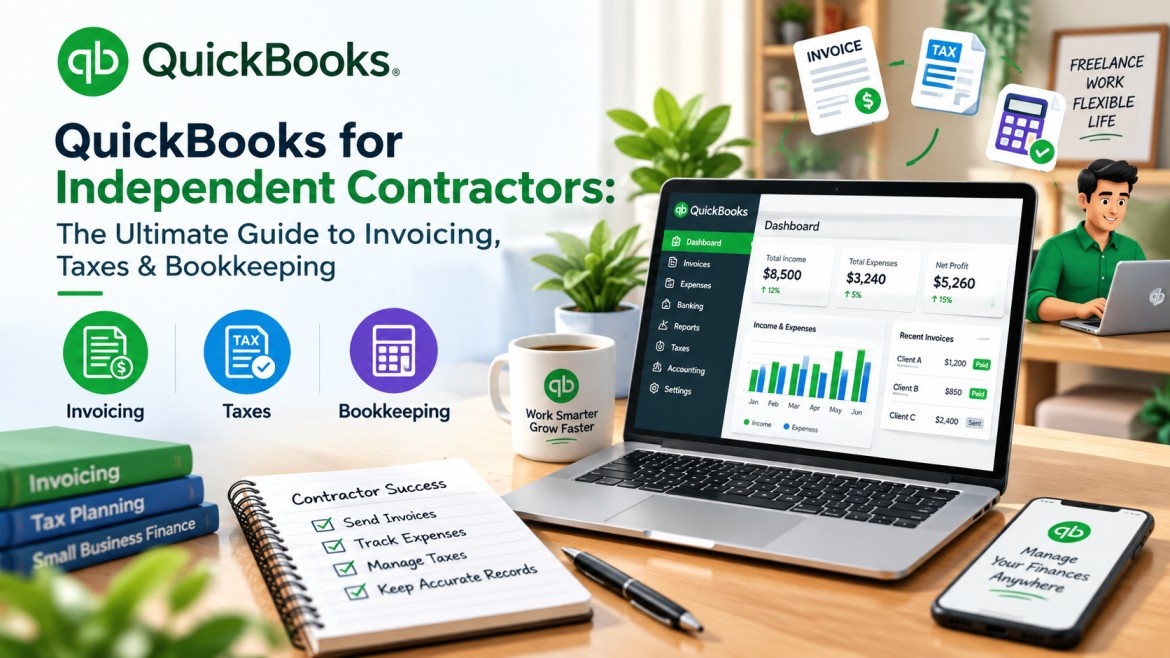
QuickBooks for Independent Contractors: The Ultimate Guide to Invoicing, Taxes & Bookkeeping
Being your own boss comes with freedom — and a long list of financial responsibilities most independent contractors weren't trained to handle. Invoicing clients, tracking deductible expenses, estimating quarterly taxes, and staying audit-ready can quickly become overwhelming without the right system.
This is exactly where QuickBooks for independent contractors becomes a game-changer.
In this guide, we'll break down how to use QuickBooks effectively for invoicing, tax tracking, and bookkeeping — and when it makes sense to bring in professional support.
Why Independent Contractors Need Dedicated Accounting Software
Unlike traditional employees, independent contractors (often filing as 1099 contractors) are responsible for their own tax withholding, expense documentation, and financial record-keeping. Without a structured system, it's easy to miss deductions, underpay quarterly taxes, or struggle during tax season simply because records are scattered across bank statements and spreadsheets.
QuickBooks for freelancers and contractors solves this by centralizing invoicing, expense tracking, and reporting in one place — giving you a clear, real-time picture of your business finances.
At GPMJ Global, we work with self-employed professionals and small business owners every day, and one pattern is consistent: contractors who adopt structured bookkeeping early save significantly more at tax time than those who try to reconstruct records after the fact.
QuickBooks Online vs. QuickBooks Self-Employed: Which One Fits?
This is one of the most common questions contractors ask before subscribing:
-
QuickBooks Self-Employed is built specifically for freelancers and 1099 contractors with simpler needs — mileage tracking, basic expense categorization, and direct Schedule C tax form preparation.
-
QuickBooks Online offers more robust features — ideal for contractors who also manage inventory, multiple income streams, or plan to scale into a small business with employees.
For most solo contractors just starting out, QuickBooks Self-Employed covers the essentials. But as your contracting business grows, migrating to QuickBooks Online often becomes necessary for more advanced reporting and scalability.
Core Features Independent Contractors Should Use in QuickBooks
1. Invoicing for Contractors
QuickBooks invoicing for contractors allows you to create professional, branded invoices, automate recurring billing for retainer clients, and track payment status in real time — reducing the back-and-forth of manually chasing payments.
2. Expense Tracking for Freelancers
Every deductible expense — software subscriptions, equipment, home office costs — should be logged and categorized. QuickBooks expense tracking for freelancers automatically syncs with your bank and credit card accounts, flagging potential business expenses as they occur.
3. Mileage Tracker for Contractors
If your work involves travel — client visits, deliveries, site work — the QuickBooks mileage tracker for contractors automatically logs trips via GPS, converting them into accurate, IRS-compliant deduction records.
4. Quarterly Estimated Taxes
One of the biggest pain points for 1099 contractors is estimating quarterly taxes correctly. QuickBooks tax tracking for contractors calculates estimated tax payments based on real-time income and expense data, helping you avoid underpayment penalties.
5. Profit and Loss Reporting
Understanding your true profitability — not just gross income — is essential for pricing your services correctly and planning for growth. QuickBooks generates real-time profit and loss statements so you always know where your business stands financially.
Common Tax Deductions Independent Contractors Often Miss
When properly tracked in QuickBooks, these independent contractor tax deductions can significantly reduce your tax liability:
-
Home office expenses (percentage of rent/utilities used for work)
-
Business-related mileage and vehicle expenses
-
Software, subscriptions, and professional tools
-
Health insurance premiums (if self-employed)
-
Professional development, courses, and certifications
-
A portion of self-employment tax itself
Properly categorized expense tracking throughout the year — rather than scrambling at tax time — is what separates contractors who maximize deductions from those who leave money on the table.
Setting Up QuickBooks Correctly From Day One
A surprising number of independent contractors sign up for QuickBooks but never configure it correctly — missing bank feed connections, misclassifying expenses, or skipping the initial chart of accounts setup entirely. This leads to messy records that create more work (and more tax risk) down the line.
This is exactly where professional guidance pays for itself. Our team offers expert Setup assistance for Xero and QuickBooks, helping contractors configure their accounts correctly from the start — so every transaction is categorized properly and tax-ready year-round.
When to Bring in Professional Bookkeeping Support
QuickBooks is a powerful tool, but it's still only as accurate as the person using it. Many independent contractors reach a point where their time is better spent on client work than reconciling accounts. That's where outsourced support becomes valuable — particularly for:
-
Monthly reconciliation and reporting — handled through our bookkeeping services
-
Accurate quarterly and annual filing — supported by our Tax Preparation services
-
Invoice and payment management — streamlined through our Accounts Receivable support
Why Work With GPMJ Global
As a trusted outsourced accounting company serving clients across the USA, Canada, UK, and Australia, our team includes offshore accountants with deep, hands-on QuickBooks expertise — not just general bookkeeping knowledge. We help independent contractors and small businesses alike stay accurate, compliant, and audit-ready, without the overhead of hiring an in-house accountant.
You can learn more about our team and approach, or explore our full Service We Provide page to see how we support contractors beyond QuickBooks setup.
Final Thoughts
QuickBooks gives independent contractors the tools to manage invoicing, expenses, and taxes with far more clarity and confidence than spreadsheets ever could. But the software is only half the equation — correct setup, consistent categorization, and professional oversight are what actually protect your bottom line at tax time.
Want expert help setting up or managing QuickBooks for your contracting business? Get a consultation with GPMJ Global today.
FAQs
1. Is QuickBooks good for independent contractors?
Yes, QuickBooks helps independent contractors manage invoices, track expenses, monitor income, and organize financial records.
2. Which QuickBooks plan is best for independent contractors?
The best plan depends on your budget and needs, including invoicing, expense tracking, and tax-related features.
3. Can QuickBooks track business expenses and tax deductions?
Yes, QuickBooks helps categorize business expenses and organize records for tax preparation. Eligibility for deductions depends on applicable tax rules.
4. Can independent contractors use QuickBooks to track 1099 income?
Yes, contractors can record client payments, track business income, and reconcile transactions.
5. Can QuickBooks help manage unpaid invoices?
Yes, QuickBooks can help track outstanding invoices and monitor payment status so you can follow up with clients.
6. Do independent contractors need a bookkeeper if they use QuickBooks?
Not always, but a bookkeeper can help with reconciliations, accurate reporting, and tax-ready financial records.
Contact Now